


Why a Stable Connection Matters More Than Ever
The average UK household now has over 10 internet-connected devices, a figure that has quietly transformed WiFi from a convenience into the central nervous system of a modern home or business. It is no longer just for browsing websites. It powers everything from work video calls and smart TVs to advanced tools like robotic lawnmowers and automated cleaning equipment.
We can all picture that moment of frustration: a video call freezing during a crucial point, or a smart device refusing to respond. When you need to fix a slow internet connection, these are not minor inconveniences. They are genuine obstacles to productivity and the smooth running of daily life.
The good news is that achieving a stable connection often does not require expensive new hardware. Many performance issues stem from common setup errors that are surprisingly easy to correct.
Pinpointing Common WiFi Performance Issues
Before you can improve your signal, you need to understand what is holding it back. Poor WiFi performance usually comes down to a few common culprits. Identifying the specific cause in your property is the first step towards a more reliable connection.
Here are the three most frequent reasons for a sluggish network:
- Physical Obstructions: WiFi signals are radio waves, and they struggle to pass through certain materials. The thick brick walls common in UK properties, foil-backed plasterboard, and even large metal appliances like refrigerators can absorb or reflect signals, creating dead zones.
- Signal Interference: Your router is not operating in a vacuum. It competes for airtime with other electronic devices. Microwaves, cordless phones, baby monitors, and even your neighbours’ WiFi networks all broadcast on similar frequencies, creating a kind of digital traffic jam that slows everyone down.
- Network Overload: Think of your router as having a finite amount of attention. When too many devices are connected and actively demanding data at the same time, its capacity is stretched thin. This results in slower speeds for every device on the network.
The Foundation of Good WiFi: Strategic Router Placement

Of all the adjustments you can make, optimising your router’s location is often the single most effective change for better WiFi. It costs nothing and can make a dramatic difference. The goal is to give the signal the clearest possible path to your devices, which is why understanding the best router placement for wifi is so important.
The Central and Elevated Rule
WiFi signals radiate outwards and slightly downwards from the router, much like the ripples from a stone dropped in a pond. For this reason, the ideal spot is in a central, open area of your property. Placing it on a shelf or a table is far better than leaving it on the floor, as this elevation helps the signal travel over furniture and other low-lying obstacles.
Common Placement Mistakes to Avoid
We often hide routers for aesthetic reasons, but this is a primary cause of poor performance. Avoid placing your router:
- In a cupboard or cabinet
- Behind the television or other large electronics
- On the floor, especially in a corner
- Next to a fish tank (water is excellent at blocking WiFi signals)
Adapting to Your Property Type
For a typical multi-storey home, placing the router high up on the ground floor or low down on the first floor often provides the most balanced coverage. In a business setting, position it centrally in the main work area, well away from stockrooms filled with metal shelving. As experts at PCMag highlight, an open, central location is key. If your router has adjustable antennas, try positioning one vertically and the other horizontally to improve reception for devices held in different orientations.
Choosing the Right Frequency Band for Your Devices
Most modern routers are ‘dual-band’, meaning they broadcast two separate networks: 2.4GHz and 5GHz. Choosing the right one for each device is a simple way to achieve faster wifi speeds uk and reduce congestion. Think of 2.4GHz as a marathon runner: it has a longer range and is better at getting through walls, but it is slower and more crowded. The 5GHz band is a sprinter: it is much faster over shorter distances but struggles with obstructions.
For the best performance, connect stationary, high-demand devices like your work computer, smart TV, or games console to the 5GHz band. Use the more resilient 2.4GHz band for mobile devices or smart home gadgets that are further from the router and have lower bandwidth needs. You can usually tell the difference as the 5GHz network name often ends with ‘-5G’ or ‘-5GHz’.
| Feature | 2.4GHz Band | 5GHz Band |
|---|---|---|
| Speed | Slower | Faster |
| Range | Longer range, better at penetrating walls | Shorter range, less effective through obstructions |
| Interference | High (from microwaves, cordless phones, etc.) | Low (less crowded) |
| Best For | Mobile devices, smart home gadgets | Streaming, gaming, work computers |
Extending Your WiFi to Every Corner of Your Property
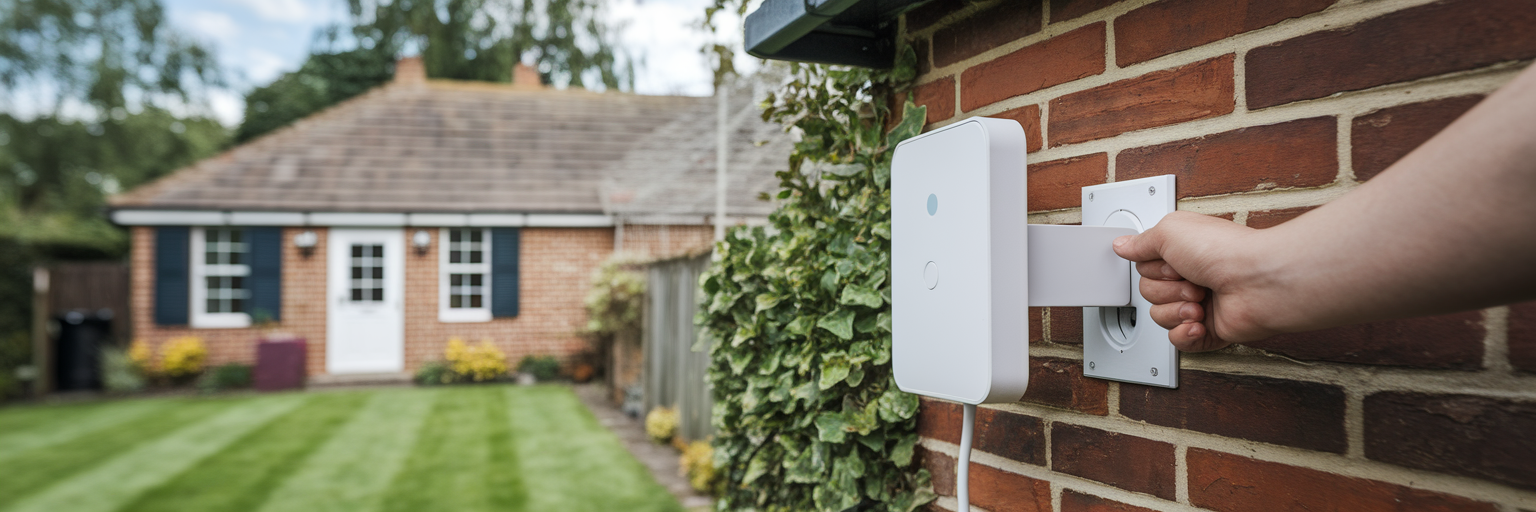
Even with perfect router placement, larger homes and businesses often have ‘dead zones’ where the signal simply cannot reach. This is especially true for outdoor spaces like large gardens or patios. Fortunately, there are effective solutions to extend your network coverage.
Using a WiFi Extender
A WiFi extender, or repeater, is a device that captures your existing WiFi signal and rebroadcasts it to cover a larger area. The key to a successful wifi extender setup guide is placement. The extender must be positioned about halfway between your router and the dead zone, in a location where it can still receive a strong, stable signal from the main router.
Considering a Mesh WiFi System
For complete, seamless coverage in larger properties, a mesh WiFi system is a more advanced alternative. Instead of a single router, a mesh system uses multiple nodes placed around your home or business to create one large, unified network. While extenders are effective, they create a separate network and can often cut the available speed in half. A mesh system avoids this, allowing you to move from room to room without your connection dropping, making it a superior choice for busy environments.
Simple Network Tweaks for a Performance Boost
Sometimes, all your network needs is a quick tune-up. These simple tweaks can resolve common glitches and provide an immediate performance boost, helping you understand how to improve wifi signal without any complex changes.
- Keep Firmware Updated: Router manufacturers regularly release free software updates. These updates patch security vulnerabilities, fix bugs, and often include performance improvements. Check your router’s administration settings for an ‘update’ or ‘firmware’ option and install any available updates.
- Change Your WiFi Channel: If many neighbouring networks are using the same WiFi channel as you, it causes congestion. You can use a free WiFi analyser app on your smartphone to see which channels are least crowded in your area. Then, simply log into your router settings and manually switch to one of the clearer channels.
- Reboot Your Router: The classic advice to ‘turn it off and on again’ works for a reason. A simple restart clears the router’s temporary memory, resolving many performance issues and restoring speed. Making this a weekly habit is an easy piece of network maintenance.
Considerations for Businesses and Advanced Smart Homes
While home users focus on coverage and speed, businesses have additional needs. Reliable business wifi solutions must support employees, customer devices, payment terminals, and security systems simultaneously. According to a recommendation from Business.com, a speed of at least 75 Mbps is a good starting point for an office with 5-10 users. A critical security step is to set up a separate guest network. This keeps public traffic completely isolated from your private business network, protecting sensitive data.
Maintaining a Healthy and Efficient Network
Building a fast, reliable network is not a one-time fix but an ongoing process. By focusing on the fundamentals—strategic router placement, choosing the right frequency band, and minimising interference—you create a strong foundation. For larger areas, using extenders or mesh systems ensures no corner is left without a signal.
Remember to perform regular maintenance like weekly reboots and firmware updates. By following these practical steps, you can maintain an efficient network that supports all the demands of your modern home or business, ensuring every device works seamlessly.